 aireelsegency@gmail.com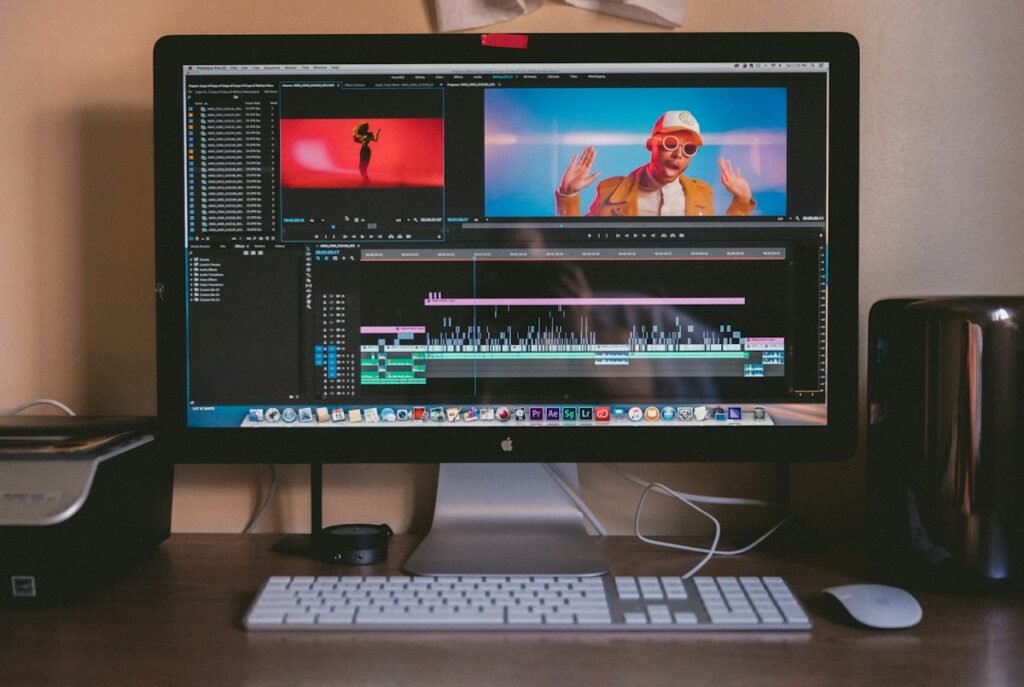
Best AI Video Editing Software for Small Business in 2026
Short answer: The best AI video editing software for most small businesses in 2026 is an all-in-one editor (like CapCut or Descript) costing $0–$20/month — it handles editing, captions, AI voiceover, and export in one place. Specialized AI generators (Runway, HeyGen) win for specific jobs but cost more per video. Below: an honest, vendor-neutral comparison with real pricing.
Search “best AI video editing software” and you’ll drown in vendor listicles — every tool’s own blog ranking itself #1, plus syndicated press releases. This guide is different: no sponsored placements, real 2026 pricing (verify live — it changes fast), and picks organized by what your business actually needs the software to do.

Modern AI editors combine generation, editing, captions, and export in one workspace.
How to Choose: 5 Questions First
- What are you making? Social ads, product demos, talking-head explainers, or long YouTube videos? Different tools lead each category.
- Who’s editing? A beginner needs templates and guided workflows; an experienced editor wants timeline control.
- Do you need AI generation or just AI assistance? Generating clips from text is a different product than auto-captions on your own footage.
- What’s the monthly budget? $0 (free tier), under $20, or $50+? Pricing jumps fast between tiers.
- Commercial rights? If videos run as paid ads, confirm the plan explicitly allows commercial use.
The Best Options Compared (2026)
| Tool | Type | Price (2026) | Best for |
|---|---|---|---|
| CapCut | All-in-one editor + AI | Free; Pro ~$8–$15/mo | Social ads start-to-finish; best free tier |
| Descript | Text-based editor | Free; ~$12–$24/mo | Talking-head, podcasts, tutorials |
| Canva | Design + video | Free; Pro ~$15/mo | Branded templates, quick promos |
| HeyGen | AI avatars | ~$29–$89/mo | Avatar-led explainers at volume |
| Runway | AI generation | ~$12–$35/mo | Cinematic clips, creative effects |
| VEED | Browser editor | Free; ~$18–$59/mo | Quick edits, subtitles, screen recordings |
Pricing is approximate 2026 public pricing — vendors change plans and credit systems frequently, so verify on each pricing page before committing.
Our Picks by Use Case
Best overall for small business: CapCut
It covers the whole ad workflow — script assistance, AI visuals or avatars, voiceover, auto-captions, music, and platform-ready export — with a genuinely usable free tier. For a full breakdown of what AI ad tools can and can’t do, see our AI video ad generator guide.
Best for talking-head and tutorial content: Descript
Edit video by editing text — delete a sentence in the transcript and it disappears from the video. Unmatched for founders recording explainers, course creators, and podcast-to-video repurposing.
Best for branded templates: Canva
If your team already lives in Canva for design, its video tools keep everything on-brand with minimal learning. Less powerful for true AI generation, excellent for fast templated promos.
Best for avatar-led videos: HeyGen
The most convincing AI avatars for explainers and multilingual content. Pricier — worth it only if you publish avatar videos weekly.
Best for cinematic AI clips: Runway
The strongest raw text-to-video quality for creative shots and effects. It’s a clip generator, not a full editor — pair it with CapCut or Descript for assembly.

AI voiceover and auto-captions are now standard — check which plans include them.
Free vs Paid: What’s the Real Difference?
- Watermarks: most free tiers export clean these days, but check — a watermarked ad is unusable for paid campaigns.
- Export quality: free often caps at 720p; paid unlocks 1080p/4K.
- Generation credits: the real paywall — free gives you a taste; regular AI generation needs a paid plan.
- Commercial rights: read the terms. Some free plans restrict commercial use.
- Brand kits: fonts, colors, logos saved across projects — usually a paid feature, and a real time-saver.
The Starter Stack We Recommend
For a small business publishing 4–8 videos a month, this $0–$20/month stack covers nearly everything:
- One all-in-one editor (CapCut free or Pro) — editing, captions, export.
- One AI voiceover source — built into most editors now; check included minutes.
- Your phone camera — for authentic clips AI can’t fake (your store, your team, your product in hand).
Upgrade to a specialized generator (Runway, HeyGen) only when you have a weekly use case that the all-in-one can’t handle. Most businesses never need to.
Red Flags When Choosing a Tool
- “Unlimited” generation claims. Read the fine print — “unlimited” usually means a fair-use cap or throttled quality.
- No free trial or free tier. Legitimate tools let you test before paying.
- Vague credit systems. If the pricing page can’t tell you plainly how many finished videos $20 buys, assume the math is unfavorable.
- Locked-in annual plans as the only option. Monthly billing should always be available.
- No commercial-use clarity. If the terms don’t explicitly say “commercial use allowed” on your plan tier, assume it isn’t.
Switching Tools Later: How Painful Is It?
Less painful than you’d fear. Your scripts, brand assets, and exported videos move with you — only project files and templates are tool-specific. To stay portable: keep raw footage and final exports organized in cloud folders, save brand kits separately, and avoid building your entire workflow around one tool’s proprietary AI feature.
Frequently Asked Questions
What is the best free AI video editing software?
CapCut’s free tier is the strongest all-round free option — editing, AI effects, auto-captions, and watermark-free 1080p export for most content.
Can AI video editing software replace a human editor?
For routine content (captions, cuts, basic ads) — largely yes. For brand storytelling, creative direction, and campaign concepts — no. Most small businesses land on a hybrid.
How much should a small business budget for video editing software?
$0–$20/month covers most small business needs with an all-in-one editor. Budget $30–$90/month only if you need specialized AI generation weekly.
Do I need a powerful computer for AI video editing?
Less than before — most AI generation happens in the cloud, and browser-based editors run on modest hardware.
Can I use these tools for client work commercially?
Usually yes on paid plans — but verify each tool’s terms for commercial use, especially around AI-generated likenesses and music licensing.
The Bottom Line
The best AI video editing software for your small business is the one your team will actually use weekly. Start with a free all-in-one editor, learn the workflow, and only pay for specialized tools when a clear weekly need appears. Software is cheap — consistency is the real investment.
Rather skip the learning curve?
NAN Marketing Agency handles your video content end-to-end — AI video ads, editing, and social-ready exports, from $150 per ad.