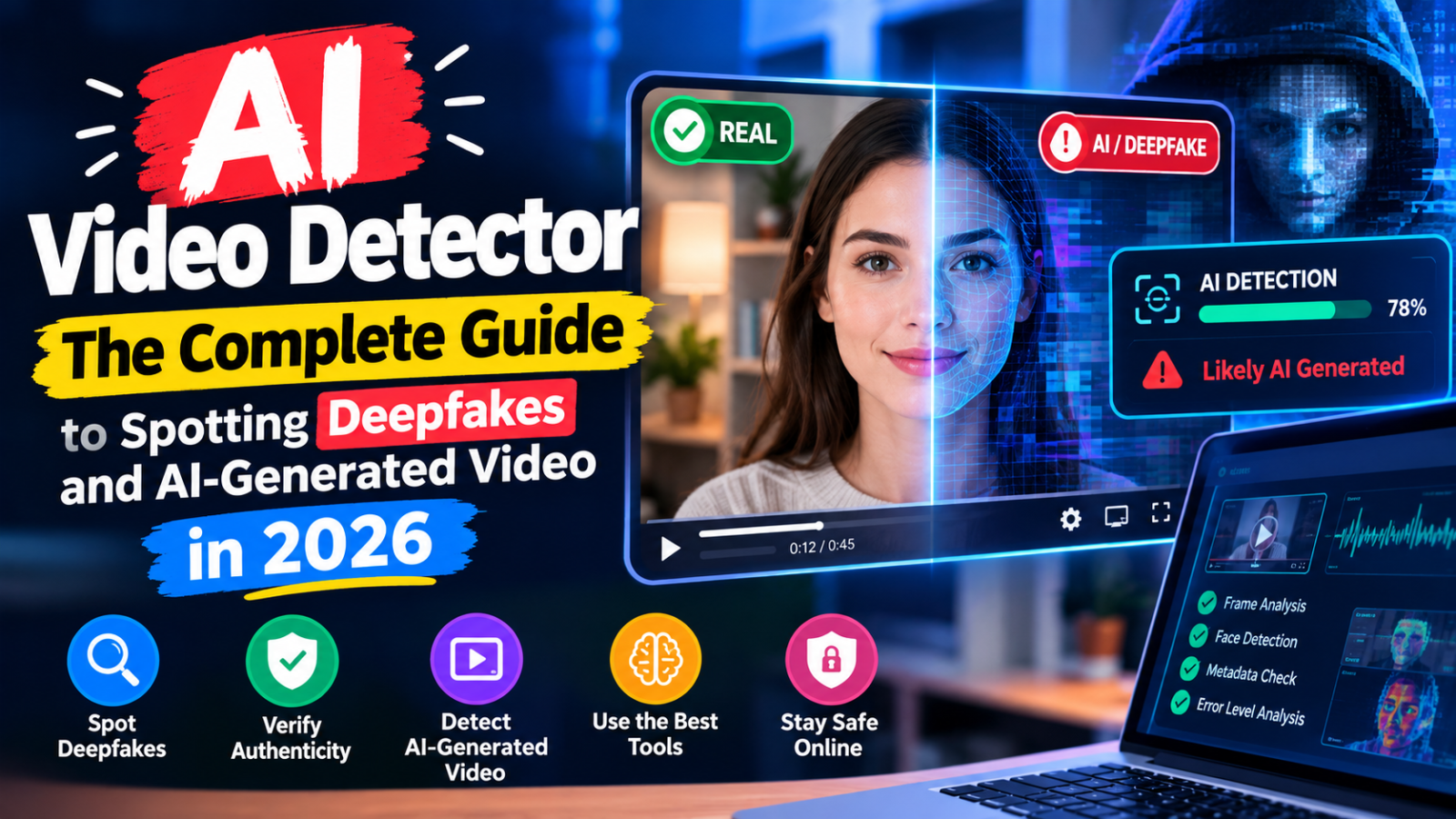
AI Video Detector: The Complete Guide to Spotting Deepfakes and AI-Generated Video in 2026
A year or two ago, the phrase “seeing is believing” still meant something. Now it’s basically a punchline. Between Sora-style generators, deepfake face-swaps, and AI tools that can put words in a politician’s mouth with a few minutes of editing, video has quietly become the least trustworthy medium on the internet — right when it used to be the most trusted one. That shift is exactly why searches for an “ai video detector” have climbed so fast, and why the tools built to answer the question “is this real?” have suddenly become genuinely useful instead of a novelty.
This guide walks through how AI video detection actually works, which free tools are worth trying, how they differ from image and voice detectors, and where the whole category still falls short. If you’ve ever paused a video mid-scroll and thought “wait, is this even real,” this is written for you.
Why Video Is the Hardest Thing to Verify Right Now
Text detection and image detection have had a head start. AI-generated text has statistical fingerprints — predictable word choices, uniform sentence rhythm — that detectors have been refining for a few years now. AI-generated images have telltale artifacts too: warped hands, inconsistent lighting, backgrounds that don’t quite make physical sense. Video inherits all of those same problems and then adds a much harder one on top: temporal consistency.
A single AI-generated frame might look flawless. But video is thousands of frames stitched together, and keeping every physical detail — how light falls, how fabric moves, how a face’s micro-expressions shift from one frame to the next — perfectly consistent across all of them is an enormous computational challenge, even for the best generation models. That inconsistency is actually the main thing detectors look for. It’s also exactly the thing generation models are racing to fix, which is why this entire category feels like it’s changing every few months.
Add audio into the mix — lip-sync accuracy, voice cloning, background noise that doesn’t match the visual environment — and you’ve got a genuinely complicated forensic problem, not something a simple “upload and get a score” tool can fully solve on its own, no matter how confidently it presents its percentage.
How an AI Video Detector Actually Works
Most consumer-facing tools built for this rely on a combination of the following signals, even if they don’t explain it clearly on their landing pages.
Frame-level artifact analysis looks at each frame individually for the same kinds of visual tells that trip up AI image detectors — unnatural skin texture, blurring around edges where a face or object meets the background, inconsistent shadows, or subtle color banding that generation models sometimes introduce.
Temporal consistency checks compare frames against each other over time. Real video has physically consistent motion — a person’s face moves the way a real face moves, blinking happens at a normal rate, hair and clothing respond to motion the way real fabric and hair actually do. Generated video, even good generated video, often has subtle “wobble” or unnatural smoothness in these transitions that a trained model can pick up on, even when a human eye scrolling past wouldn’t consciously notice it.
Audio-visual sync analysis matters heavily for deepfake detection specifically. When someone’s face has been swapped or manipulated, the correlation between mouth movement and the actual audio waveform often has tiny mismatches — nothing a casual viewer would catch, but measurable when a tool analyzes the phoneme-to-mouth-shape mapping frame by frame.
Metadata and compression fingerprinting checks the file itself rather than just the visual content — looking for encoding patterns, compression artifacts, or metadata signatures that are common outputs of known AI video generation tools and rendering pipelines.
None of these signals alone is conclusive. A shaky, low-resolution phone video can trigger some of the same “unnatural motion” flags as a genuinely generated clip, just from compression and low lighting. That’s the core challenge every ai video detector online free tool is wrestling with right now — and it’s worth keeping in mind before trusting any single score.
The Free AI Video Detector Tools Actually Worth Trying
Here’s an honest look at what’s actually out there for anyone specifically searching “ai video detector online free” or trying to check a suspicious clip without paying for enterprise forensic software.
Hive Moderation
Originally built for content moderation at scale, Hive’s detection tools extended naturally into deepfake and synthetic media detection. It offers frame-by-frame confidence scoring rather than a single blunt number for the whole clip, which matters a lot for longer videos where only a specific segment might have been manipulated.
Deepware Scanner
One of the more accessible free options aimed specifically at deepfake detection rather than general AI-video detection. It’s reasonably fast for shorter clips and gives a straightforward verdict, though like most tools in this category, accuracy drops noticeably on lower-resolution or heavily compressed video — which, unfortunately, describes a huge share of what actually circulates on social media.
Intel FakeCatcher
Built around detecting subtle blood-flow patterns in skin visible through video — a genuinely clever approach based on the idea that real human skin shows tiny color changes tied to heartbeat, which generated faces don’t reproduce accurately. It’s a technically interesting method, though public access and free-tier availability have varied over time, so it’s worth checking current availability before relying on it.
Sensity AI
Positioned more toward enterprise and journalism use cases, with a free-tier check available for individual clips. It’s one of the more transparent tools about its confidence intervals rather than presenting a single misleadingly precise percentage.
Why “AI Detector Video” and “Video AI Detector” Keep Showing Up as Separate Searches
If you’ve noticed people searching both “ai detector video” and “video ai detector” as near-identical phrases, that’s just natural language variation — people type queries in whatever order feels intuitive to them, and search engines have gotten good enough at understanding intent that the exact word order barely matters anymore. Functionally, anyone searching either phrase wants the same thing: a way to check whether a specific video file or clip was AI-generated or manipulated. Worth knowing if you’re building content around this space, since targeting one exact phrase over the other makes very little practical difference to who actually finds the page.
The YouTube Lie Detector Angle
A notable chunk of search interest around video detection isn’t actually about AI-generated content at all — it’s about the older, unrelated idea of a “youtube video lie detector ai,” meaning tools or channels that claim to analyze a real person’s face and voice in an existing video to judge whether they’re being truthful. This is a genuinely different category from deepfake or synthetic-video detection, and it’s worth being clear-eyed about it: the science behind facial-expression-based lie detection is shaky at best, whether it’s done by a human “expert” or an AI model trained on the same unreliable signals. Micro-expressions and vocal stress patterns have been studied for decades in psychology and law enforcement contexts, and the consensus among researchers is that they’re far less reliable indicators of deception than popular media suggests.
If you land on a tool claiming to definitively detect lies in a YouTube video using AI, treat the results as entertainment rather than forensic evidence. That’s a very different claim than “is this video AI-generated,” which at least has some grounding in measurable technical artifacts.
How Video Detection Differs From Image and Text Detection
It’s worth understanding how this category relates to the adjacent tools people search for, because the underlying technology and reliability differ quite a bit across each one.
AI image detectors (the tools behind searches like “ai checker images” and “ai art checker”) have had more time to mature than video tools, simply because static images have been generated at scale for longer. They look for consistent giveaways — unnatural hand and finger rendering, inconsistent reflections, texture patterns that repeat in unnatural ways, and metadata traces from known generation tools. Accuracy on a single, well-generated image from a modern model is still far from perfect, but the detection science here is more established than video.
“Is this photo AI” style checks are essentially the same category phrased as a direct question rather than a tool name — people increasingly search in natural, conversational phrasing rather than keyword-style queries, which is part of a broader shift search engines have adapted to over the past couple of years.
AI voice detectors (what people are after with “ai voice detector free” searches) analyze audio specifically — looking for the absence of natural breathing patterns, unnatural pitch consistency, or spectral artifacts common to voice cloning and text-to-speech generation. Voice cloning has become alarmingly accessible, and detection tools here are racing to keep pace with tools that can now clone a convincing voice from just a few seconds of sample audio.
Video detection sits at the intersection of all three — visual artifacts like image detection, audio artifacts like voice detection, plus the added complexity of temporal consistency across frames that neither static images nor standalone audio have to deal with. That’s precisely why it remains the hardest of the three categories to get reliably right, and why claims of “99% accuracy” from any single video detector deserve real skepticism.
What Actually Trips Up AI Video Detectors
Understanding failure modes matters as much as understanding how these tools succeed, because both false positives and false negatives happen constantly in this space.
Heavy compression is the biggest practical problem. Most video that actually circulates online — social media clips, forwarded WhatsApp videos, screen recordings of screen recordings — has been compressed multiple times, which introduces its own artifacts that can mimic or mask the signals detectors are trained to look for. A genuinely real video that’s been compressed and re-uploaded several times can trigger false-positive flags simply from accumulated compression noise, not from any actual manipulation.
Low light and low resolution genuinely reduce accuracy across the board. Many of the frame-level and skin-tone-based detection methods rely on visual detail that simply isn’t present in a dim, grainy, or low-resolution clip, regardless of whether the underlying content is real or generated.
Partial manipulation is harder to catch than full generation. A video where only a face has been swapped onto an otherwise real, unaltered background and body is often harder to detect than a fully AI-generated clip from scratch, because most of the frame’s physical consistency signals remain intact — only a smaller region carries the manipulation artifacts.
Newer generation models close the gap constantly. Every few months, a new generation tool reduces the visual artifacts that older detectors were trained to catch. This is the same arms-race dynamic seen in text and image detection, just moving faster because video generation quality has been improving especially rapidly.
A Practical Way to Approach Checking a Suspicious Video
Rather than pasting a clip into the first free tool that ranks on Google and trusting whatever number comes back, a more grounded approach looks something like this.
Start by considering the source and context before running any technical check at all. Where did the video originate? Is it from a verified account, a known outlet, or an anonymous forward with no clear origin? Context alone resolves a huge share of suspicious-video questions before any detection tool even gets involved — a surprising amount of viral “is this AI” panic turns out to be genuinely real footage that just looks unusual, and a surprising amount of confidently-shared “real” footage turns out to be old, out-of-context, or from an entirely different event.
Next, look for the manual tells that don’t require any tool at all — inconsistent lighting between a face and its surroundings, blinking that looks unnaturally rare or frequent, audio that doesn’t quite match mouth movements, hands or background objects that warp or shift oddly between frames. These are the same signals automated detectors look for, and a careful human eye, especially on a slowed-down or frame-by-frame playback, can often catch obvious cases without needing a tool at all.
Then run it through a detector, but treat the result the same way you’d treat a text or image detector score — as one data point rather than a verdict, especially given how much compression and resolution can skew results in either direction.
Finally, for anything with real stakes — a video being used as evidence, shared in a professional or journalistic context, or driving a decision that matters — cross-reference against other sources entirely. Has the event the video claims to show been reported anywhere else? Do other camera angles or accounts exist? Verification through corroboration is still more reliable than any single automated detection tool, and it likely will remain that way for a while yet.
Where This Technology Is Heading
The video detection space is moving in two directions simultaneously, and it’s worth understanding both.
On one side, detection models keep getting more sophisticated, incorporating multi-modal analysis that checks visual artifacts, audio consistency, and metadata together rather than relying on any single signal — genuinely raising the bar for what it takes to produce an undetectable synthetic video.
On the other side, generation models keep closing that gap just as fast, sometimes faster. Some of the most advanced generation tools now specifically train against known detection methods, essentially learning to avoid the exact artifacts that current detectors are built to catch — an adversarial dynamic that mirrors what’s already happened in text generation and detection.
Longer-term, the more durable solution probably isn’t a better detector at all — it’s provenance tracking baked into content at the point of creation. Some camera manufacturers and platforms are already experimenting with cryptographic content-authentication standards that verify a video’s origin and edit history at the moment it’s captured, rather than trying to reverse-engineer whether it’s real after the fact. That approach sidesteps the entire arms race by proving authenticity upfront instead of trying to detect fakery after the video is already circulating — though widespread adoption is still years away, and until it arrives, detection tools remain the main option most people actually have.
A Closer Look at What Separates a Trustworthy Tool From a Guessing Machine
Not every video detector on the market is built with the same rigor, and after comparing enough of them against known real and known synthetic clips, a few patterns stand out in what actually separates a useful tool from one that’s essentially guessing with confidence.
Transparency matters most. A tool that returns “87% likely AI-generated” with no further breakdown is far less useful than one that highlights which specific frames or time ranges triggered the flag. Video is long-form by nature, and a single overall score tells you almost nothing about whether the entire clip is suspect or just a five-second segment buried somewhere in the middle.
Consistency is the second big differentiator. Feed the same clip into a detector twice and a reliable tool should return a similar confidence score both times. Several free tools in this space are noticeably inconsistent, returning meaningfully different results on repeat checks of identical footage — a sign that the underlying model isn’t especially confident, even when the interface presents a precise-looking percentage.
The third is how gracefully a tool handles degraded input. Real-world video is rarely pristine — it’s been compressed, re-encoded, screen-recorded, or downloaded and re-uploaded multiple times before it reaches you. A detector that only performs well on clean, high-resolution source footage is far less useful in practice than one explicitly built to handle the messy, multiply-compressed video that actually circulates on social platforms.
Where Content Creators and Journalists Fit Into This
If you work in journalism, content moderation, or any field where verifying video authenticity is part of the job rather than a curiosity, the free consumer-facing tools covered here are a reasonable starting point but shouldn’t be the whole verification process. Newsrooms that take this seriously typically combine automated detection with manual frame-by-frame review, reverse image searches on key frames pulled from the video, and cross-referencing against other reporting or eyewitness accounts of the same event.
For smaller content teams or independent creators who just need a reasonable gut-check before republishing or reacting to a viral clip, running it through one or two of the free tools covered above, combined with a basic context check — who posted it first, does the account have a history of authentic content, does the event show up anywhere else — covers most practical situations without needing enterprise-grade forensic software.
This matters increasingly for SEO and content operations too. Publishing content that references or embeds video without any verification, only to have it later revealed as synthetic or manipulated, carries real reputational risk in a way that a poorly-sourced text claim usually doesn’t — video still carries an outsized amount of implicit trust from readers, even as that trust becomes less warranted by the day.
Common Mistakes People Make When Checking Video Authenticity
A handful of avoidable mistakes show up constantly when people try to verify a suspicious video on their own.
The most common is checking only a short clip pulled out of a longer video, rather than the full original context. Clips circulating on social media are frequently trimmed, and a few seconds taken out of context can look far more suspicious — or far more convincing — than the full unedited footage would. Whenever possible, track down the original, uncut source before drawing conclusions from a fragment.
Another frequent mistake is assuming a low detector score means a video is definitely authentic. A “low AI-likelihood” score just means the specific artifacts that tool is trained to catch weren’t strongly present — it doesn’t rule out manipulation methods the detector wasn’t built to recognize, and it doesn’t rule out the video being real footage presented in a misleading or out-of-context way, which is a completely different kind of deception that no AI detector is designed to catch at all.
A third mistake is relying on visual instinct alone for well-produced synthetic content. Early deepfakes had obvious tells — flickering, unnatural blinking, blurred edges — that made them catchable by eye. Current generation quality has advanced enough that visual instinct alone is no longer sufficient for well-produced fakes, which is exactly why the technical detection layer has become necessary rather than optional for anything with real stakes attached.
Choosing the Right Tool for Your Specific Situation
Just like with text and image detection, there’s no single “best” ai video detector — the right choice depends heavily on what you’re actually trying to verify and how much is riding on the answer.
If you’re a casual social media user trying to sanity-check a viral clip before sharing it further, speed and accessibility matter more than forensic-grade precision. A free, no-signup tool that gives you a quick overall read within a minute or two is perfectly adequate for this use case, and spending more time on it than that is probably not worth your while given the stakes involved.
If you’re a journalist, researcher, or content moderator verifying footage that might get published, cited, or used to inform a real decision, a single free consumer tool isn’t enough on its own. Combining automated detection with manual frame review, reverse searches on key stills pulled from the footage, and outreach to the original source or witnesses if at all possible is the more defensible standard, even if it takes considerably longer.
If you’re a business or content team concerned about brand safety — making sure the video content you’re publishing, embedding, or amplifying hasn’t been manipulated in a way that could later embarrass the brand — building a lightweight verification step into your existing content approval workflow, rather than treating it as a separate specialized task, tends to be the most sustainable long-term approach. Something that fits naturally into an existing review process gets used consistently; something that feels like an extra specialized chore tends to get skipped exactly when it matters most.
Frequently Asked Questions
Is there a genuinely free AI video detector with no upload limit? Most free tiers cap either the video length (often under 2-3 minutes) or the number of checks per day. Longer or higher-volume checking typically requires a paid tier, especially for tools aimed at journalists or moderation teams.
Can AI video detectors identify which specific tool generated a video? Rarely with confidence. Most detectors are built to answer “is this likely AI-generated or manipulated” rather than “which specific generation model produced this,” since the underlying artifacts often overlap significantly across different generation tools.
Why did a genuinely real video get flagged as AI-generated? Heavy compression, low resolution, unusual lighting, or multiple rounds of re-uploading and re-encoding can all introduce artifacts that mimic the signals detectors are trained to catch, triggering false positives on entirely authentic footage.
How is video detection different from checking a single AI-generated image? Video detection has to account for consistency across thousands of frames over time, plus audio-visual synchronization, which makes it a meaningfully harder technical problem than analyzing a single static image for artifacts.
Are AI voice detectors more or less reliable than video detectors? Voice detection has matured somewhat faster in some respects because audio has fewer dimensions to analyze than video, but voice cloning technology has also improved dramatically, so neither category should be treated as highly reliable on its own without corroborating context.
Can compression alone cause a real video to fail a detection check? Yes, and this is one of the most common sources of false positives. Multiple rounds of re-encoding, common on social platforms where videos get downloaded and re-uploaded repeatedly, introduce artifacts that can mimic the exact signals detectors are trained to flag, even in completely authentic footage.
Is a video verified as “real” by a detector automatically trustworthy? Not entirely. A low AI-likelihood score only addresses whether the footage itself was synthetically generated or manipulated — it says nothing about whether the video is being shared with accurate context, correct dates, or an honest description of what it actually shows.
Building a Repeatable Verification Habit Instead of a One-Off Panic Check
The people who handle this well aren’t reaching for a detector only after something’s already gone viral and the damage is partly done — they’ve built a quick verification habit into their normal process, the same way a fact-check or a source-check has become automatic for anything published or shared professionally.
For individual creators, that might mean a standard two-step check before sharing or reacting to any striking video: a quick reverse-context search to see if the clip has circulated before under a different claim, followed by a run through a free detector if anything still seems off after that context check. Most viral misinformation cases turn out to be misattributed real footage rather than fully synthetic video, so the context check alone resolves more cases than the technical detector does.
For teams — newsrooms, moderation staff, content agencies — building this into an actual checklist rather than an ad-hoc judgment call pays off considerably. A documented process (source check, context search, technical detection pass, and sign-off before publishing or amplifying) creates accountability and catches mistakes that any single step alone would miss. It also protects against the reputational cost of being the account that unknowingly amplified a fabricated clip, which has become a real and recurring risk as synthetic video quality keeps climbing.
The Broader Ecosystem: Images, Voice, and Video Together
It’s rare these days for manipulated content to exist in only one medium. A convincing fake often combines a cloned voice, a swapped or generated face, and sometimes fabricated background audio or text overlays, all working together to sell the illusion. That’s why the strongest verification approach treats video, image, and voice detection as complementary layers rather than separate, unrelated tools.
If a video seems suspicious, pulling a few key frames and running them through a dedicated image checker (the tools behind “ai checker images” and “ai art checker” searches) can sometimes catch artifacts that a full-video analysis smooths over or misses, since static image detectors have had more time to mature and can apply more computational scrutiny to a single frame than a video tool spreads across an entire clip. Similarly, isolating and checking the audio track separately with a voice-specific detector can catch cloning artifacts that a combined audio-visual tool might weight less heavily.
This layered approach takes more time than a single quick check, but for anything genuinely consequential — a video being used as evidence, cited in reporting, or driving a business or legal decision — the extra ten minutes it takes to check each layer independently is a reasonable cost against the risk of confidently trusting or dismissing content based on one imperfect tool’s single verdict.
The Bottom Line
AI video detection is the newest and hardest branch of a broader detection category that’s still fundamentally an arms race — generation models keep improving, and detection tools keep scrambling to catch up. No free ai video detector tool available right now deserves blind trust, especially on compressed, low-resolution, or partially-manipulated clips. The most reliable approach combines a technical check with old-fashioned verification: consider the source, look for the visual tells a careful eye can catch without any tool at all, and cross-reference against other accounts of the same event whenever the stakes are high enough to matter. Treat any single detector’s score as a starting point for scrutiny, not a final answer.