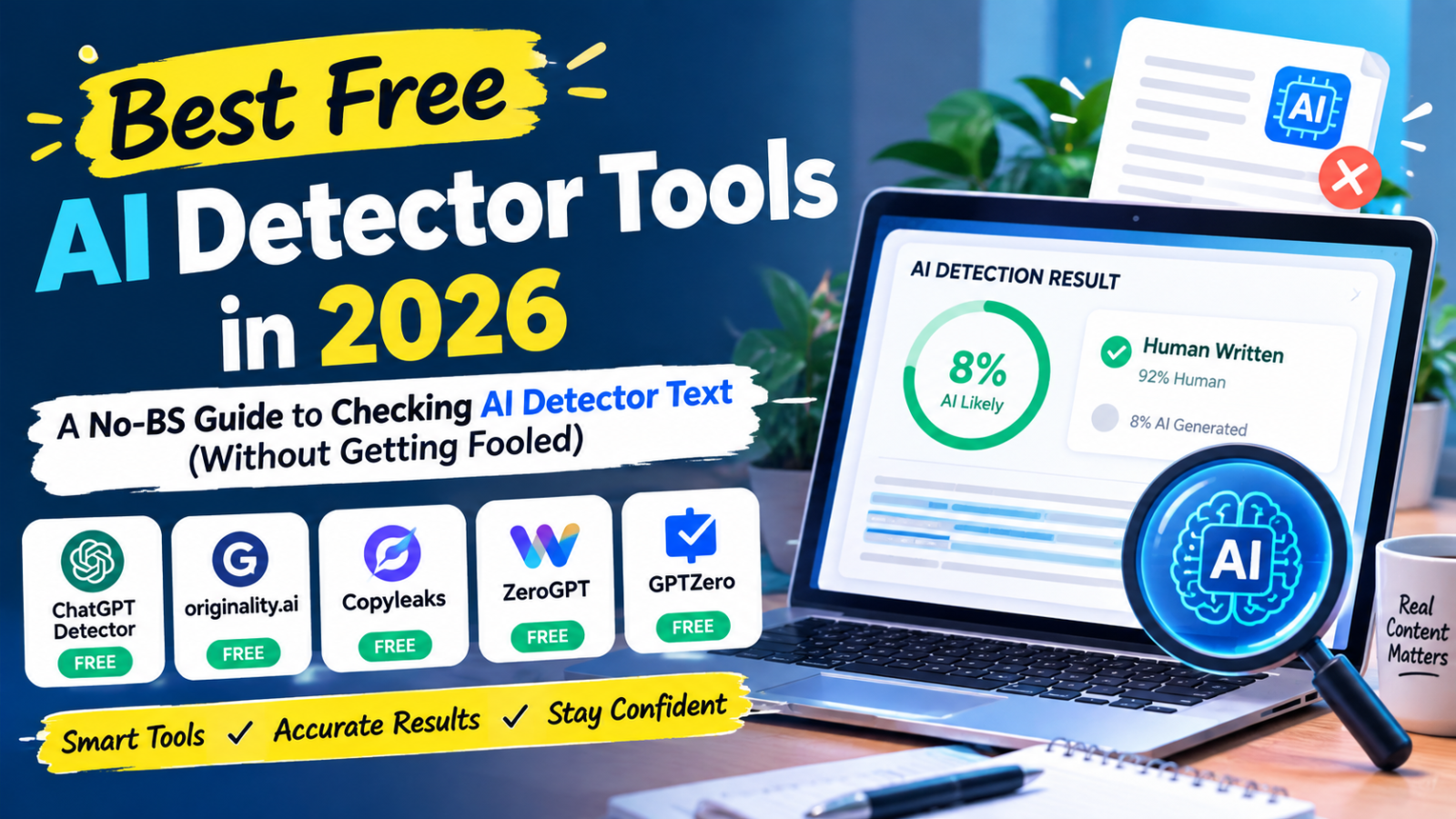
Somewhere in the last two years, the internet quietly split into two camps. On one side, you’ve got people trying to prove their writing is human. On the other, you’ve got people trying to prove someone else’s writing isn’t. Teachers, editors, hiring managers, SEO writers, students defending their own essays — everyone’s suddenly become an amateur forensic analyst, squinting at paragraphs and asking the same question: did a person actually write this, or did a language model spit it out in four seconds?
That’s where AI detectors come in. And if you’ve typed “ai detector free” into Google recently, you already know the problem — there are dozens of tools claiming “99% accuracy,” half of them contradict each other, and most of them either want your email address or your credit card before they’ll tell you anything useful.
This guide exists to cut through that. We’re going to walk through how these tools actually work, which free options are worth your time, where they fall apart, and — because the two are joined at the hip these days — what to do if you’re on the other side of this equation and looking for an ai humanizer free tool instead. No fluff, no affiliate-driven “top 10” nonsense. Just a straight answer to a question that’s gotten weirdly complicated.
Why Everyone Suddenly Cares About AI Detector Text
A few years ago, nobody thought twice about how an email or a blog post got written. Now it matters — a lot, in some cases legally and financially. Universities are running every submitted essay through a checker before it even reaches a professor’s inbox. Publishers are quietly screening freelance submissions. Google’s search algorithm cares (at least partially) about whether content reads as genuinely useful or as mass-produced filler. And on the flip side, plenty of legitimate writers who simply have a clean, structured writing style are getting flagged as “AI-generated” when they wrote every word themselves.
That last point is the real headache. AI detectors don’t actually “know” anything — they’re pattern-matching engines making an educated guess. And their guesses can be wrong in both directions: they can miss AI-generated text dressed up cleverly, and they can wrongly accuse a human of using a bot. Understanding how they work is the only way to use them sensibly instead of treating a percentage score like it’s a legal verdict.
How an AI Detector Actually Works (In Plain English)
Most people assume there’s some secret database somewhere that stores every sentence ChatGPT or Claude has ever generated, and the detector just checks your text against it. That’s not how it works at all — there’s no way any tool could store or search against the near-infinite range of things a language model could produce.
Instead, detectors look at statistical fingerprints in the writing itself. Two ideas matter most here:
Perplexity is basically a measure of how “predictable” a piece of text is to a language model. AI-generated writing tends to pick the statistically likely next word more often than a human would. Human writing is messier — we go off on tangents, use odd phrasing, make small grammatical detours that a model trained to sound “correct” almost never would. Low perplexity (very predictable text) tends to score higher as AI-generated. High perplexity (surprising word choices, personal quirks) reads as more human.
Burstiness looks at variation in sentence length and structure across a passage. Humans naturally write in bursts — a short punchy sentence, then a long rambling one, then three fragments in a row because we got excited about a point. AI-generated text, especially from earlier models, tended to be more rhythmically uniform: similar sentence lengths, similar structures, paragraph after paragraph. Newer models have gotten much better at faking burstiness, which is part of why detection has gotten harder, not easier, over time.
On top of these two core signals, detectors run a bunch of supplementary checks — vocabulary diversity, repetition patterns, unusual transition phrases (“Furthermore,” “Moreover,” “In today’s fast-paced world” — anyone who’s read enough AI content recognizes these tics instantly), and sometimes a comparison against known outputs from specific models.
None of this is exact science. It’s probability, dressed up as a percentage score that looks a lot more confident than it should.
The Free AI Detector Options Actually Worth Trying
Let’s get concrete. If you’re searching for an “ai detector free online” tool right now, here’s an honest rundown of what’s out there and what each one is actually good for.
GPTZero
One of the earliest tools built specifically for catching AI writing in academic settings, and it’s still one of the more transparent ones about its methodology. It gives you sentence-level highlighting, so instead of just a blunt “73% AI” score, you can see which specific sentences triggered the flag. That granularity matters — a document might be mostly human with one paragraph that got smoothed over by an AI tool, and a sentence-level breakdown catches that nuance where a single overall score wouldn’t.
QuillBot’s AI Detector
QuillBot built its name on paraphrasing tools, so it makes sense their detector is tuned to catch not just raw AI output but also AI-generated text that’s been lightly reworded — which is exactly the kind of thing a lot of “humanizer” tools produce. If you’re checking content that might have passed through both a generator and a humanizer, this is a reasonable option to try alongside another tool.
Copyleaks
This one leans more toward enterprise and education use, and it’s one of the few free ai checker options that also folds in plagiarism detection alongside AI detection. If you’re a teacher or an editor who needs both checks in one pass, it saves a step. The free tier is more limited on word count than some competitors, so it’s better suited to shorter pieces — cover letters, short essays, single blog sections — rather than full-length manuscripts.
ZeroGPT
Straightforward, no-frills, and genuinely free with no signup wall for basic checks. It highlights AI-flagged sentences in the text itself, which — again — is more useful than a single score sitting at the top of the page. Accuracy on longer, well-edited AI content is inconsistent, but for a quick gut-check on shorter text, it does the job.
Grammarly’s AI Detector
If you’re already using Grammarly for grammar and tone checks, its built-in AI detector is a convenient add-on rather than a standalone destination. It’s not the most sensitive tool on this list, but it’s genuinely free, requires no extra signup if you already have an account, and it’s decent for a first-pass check before running something through a more specialized tool.
What “Best Free AI Detector” Actually Means (Spoiler: It Depends)
Everyone wants a straight answer to “what’s the best ai detector free option,” but the honest truth is that the “best” tool depends entirely on what you’re checking and why.
If you’re a student worried about a false accusation before submitting an essay, you want a tool with sentence-level highlighting — something like GPTZero — so you can identify and rewrite specific flagged sections rather than guessing which part of a 2,000-word paper tripped the alarm.
If you’re an editor screening freelance content at volume, you probably care more about speed and batch-checking capability than pinpoint accuracy on every single sentence. A tool that lets you paste in a full article and get a fast overall read is more valuable than one that makes you wait 30 seconds per paragraph.
If you’re an SEO content manager trying to make sure a piece doesn’t read as obviously machine-generated (which matters for both search rankings and reader trust), you want a tool that mirrors what search engines might be evaluating — vocabulary variety, sentence rhythm, and overall “naturalness” — rather than one built primarily for catching plagiarism-adjacent academic misconduct.
There genuinely isn’t one universal winner. Anyone telling you there is hasn’t tested more than one tool against real, varied writing samples.
A Closer Look: What Separates a Good Free Tool From a Mediocre One
Not every detector on the market deserves your time, and after testing enough of these tools against real writing samples, a pattern emerges in what separates the useful ones from the ones that are essentially guessing.
The first thing that matters is transparency. A tool that just says “82% likely AI-generated” and stops there is far less useful than one that shows you exactly which sentences pushed that score up. Without that breakdown, you’re stuck either accepting the verdict blindly or rewriting an entire piece from scratch when maybe only two sentences actually needed adjusting.
The second is consistency. Paste the same paragraph into a detector twice, five minutes apart, and a reliable tool should give you roughly the same score both times. Some of the free tools out there are surprisingly inconsistent — run identical text through them twice and you’ll get scores that swing by 20 or 30 percentage points, which tells you the underlying model isn’t especially confident in its own judgment, even if the interface presents the number with total certainty.
The third, and probably most overlooked, is how the tool handles mixed content — writing that’s part human, part AI-assisted, part edited by both. Real-world writing increasingly looks like this. A writer drafts something, runs it through an AI tool for a smoother introduction, edits three paragraphs by hand, and leaves the rest untouched. A detector that can only spit out one overall score for the whole document is far less useful here than one that flags specific sections, because the honest answer to “is this AI-generated” is often “partially, in these three places” rather than a clean yes or no.
Where SEO Content Creators Fit Into This Picture
If you run a content operation — whether that’s a one-person blog, a small agency, or a larger publishing team — AI detectors matter for a slightly different reason than they do for students or teachers. Search engines have gotten more sophisticated about identifying content that reads as mass-produced, templated, or low-effort, even when it’s technically accurate and grammatically correct. That’s less about a specific detector score and more about the same underlying signals: unnatural rhythm, generic phrasing, an absence of specific detail or point of view.
This is exactly why the free ai checker ecosystem has become part of a lot of publishing workflows, not just academic ones. A content team drafting fifty articles a month with AI assistance has a practical incentive to run pieces through a detector before publishing — not to dodge some imaginary Google penalty (there isn’t a direct one tied to a detector score), but as a proxy for a more important question: does this actually read like something a person cared enough to write carefully?
The workflow that tends to work best here isn’t “generate with AI, then run through a humanizer, then publish.” It’s closer to “draft with AI assistance, edit heavily by hand — adding specific examples, opinions, and details a generic model wouldn’t include — then use a detector as a final gut-check rather than the whole strategy.” Content that gets rewritten purely to dodge detection usually still reads generic, just in a slightly different way. Content that gets genuinely edited with real input tends to pass those checks naturally, as a side effect rather than the goal.
The Accuracy Problem Nobody Talks About Enough
Here’s the part that gets buried under all the marketing copy: every single AI detector on the market — free or paid — produces false positives. Not occasionally. Regularly.
Writers who use short, direct sentences (hi, technical writers, non-native English speakers who were taught formal grammar, and anyone who just naturally writes in a clean, structured way) get flagged constantly. There have been well-documented cases of students facing academic consequences over false AI accusations, simply because their writing style happened to score low on “perplexity” despite being entirely their own work.
The flip side is just as real. Someone who runs AI-generated text through even a basic paraphrasing pass, or asks a chatbot to “write this in a more casual, personal tone with some tangents,” can often produce text that sails past a detector without a hitch. The tools measure statistical patterns, not authorship — and patterns can be gamed in both directions.
The practical takeaway: treat any single detector’s score as one data point, not a verdict. If something matters — grades, a job, a client relationship — run the text through two or three different tools and look for agreement, not just one number that confirms what you already suspected.
The Other Side of the Coin: AI Humanizer Free Tools
Search volume for “ai humanizer free” tells its own story — a huge number of people aren’t trying to catch AI writing, they’re trying to make it undetectable. Understanding why this category exists (and where it gets murky) matters if you’re navigating either side of this whole ecosystem.
A humanizer tool takes AI-generated text and reworks it to increase burstiness and reduce the statistical “predictability” that detectors key in on. It varies sentence length, swaps common AI phrasing for more idiomatic alternatives, and sometimes deliberately introduces small imperfections that mimic natural human writing quirks.
There’s a legitimate use case here: someone drafts an outline or a rough first pass with AI assistance, then wants the final piece to read naturally rather than sounding like it came out of a template. That’s not fundamentally different from using a grammar checker or an editor — it’s polishing, not fabricating.
There’s also a less legitimate use case, which is students or content mills trying to disguise fully AI-written work as their own to dodge academic integrity rules or content-quality standards. That’s a different conversation entirely, and no tool — humanizer or otherwise — changes the ethics of that situation.
If you’re using a humanizer tool for the legitimate reason (making AI-assisted drafts read more naturally for your own content, marketing copy, or personal projects), look for one that lets you compare before-and-after phrasing rather than just spitting out a rewritten block of text with no visibility into what changed. That transparency matters if you want to actually learn to write in a way that doesn’t need the tool every single time.
Turnitin, Scribbr, and the Academic-Specific Detectors
If you searched for anything involving “turnitin ai detector free,” it’s worth clearing up a common misconception first: Turnitin’s AI detection feature isn’t a standalone free consumer tool. It’s built into the institutional plagiarism-checking platform that universities license directly, and students typically don’t get a way to run their own check outside of what their school provides through official coursework submission.
That’s frustrating if you’re a student who wants to self-check before submitting, because the tool that actually matters for your grade isn’t one you can access independently. The workaround most students use is running their draft through a free consumer-facing detector (GPTZero, ZeroGPT, or similar) as a rough proxy, understanding that it won’t perfectly mirror what Turnitin’s institutional algorithm flags, but it gives a general sense of whether a passage reads as unusually “smooth” or synthetic.
Scribbr’s AI detector, by contrast, is a genuinely free-to-use consumer tool, built by a company that’s primarily known for citation and proofreading services aimed at students. It’s a reasonable option if you want something specifically designed with academic writing patterns in mind rather than a general-purpose detector built for marketing copy or business writing.
Why “No Sign-Up Required” Keeps Showing Up in Every Listing
If you’ve noticed that practically every AI detector’s marketing copy leads with “no sign-up,” “no registration,” or “no credit card required,” that’s not an accident — it’s a direct response to what people are actually searching for. The demand behind “ai checker no sign up” style queries is enormous, and it tells you something real about user frustration: a lot of tools in this space bury their actual functionality behind an email capture form, only to reveal afterward that the free tier is capped at a few hundred words or requires an upgrade for anything useful.
If you’re checking something quickly — a single paragraph, a short email, a social post — prioritize tools that let you paste and check immediately. Save the signup-required, more feature-rich platforms for situations where you’re checking content regularly enough that creating an account and unlocking higher word limits actually pays off.
Real Scenarios Where This Actually Plays Out
It helps to walk through a few concrete situations rather than talking about this abstractly, because the “right” approach genuinely changes depending on who’s asking and why.
Scenario one: a freelance writer submitting to a client who explicitly bans AI use. Here, the stakes are contractual, not academic. Before submission, run the piece through two detectors, and if either flags specific sections, rewrite those sections manually rather than running the whole draft through a humanizer tool — a client who explicitly cares about this issue is more likely to spot-check manually too, and a humanized-but-still-generic paragraph often reads as “off” to a careful human reader even if it technically scores lower on a detector.
Scenario two: a graduate student worried about a false positive on a thesis chapter. This is genuinely stressful territory, because the consequences of a wrong accusation can be serious. The safest move isn’t relying on a detector score at all — it’s keeping a version history (Google Docs revision history, or periodic manual saves) that documents the actual writing process over time. If a false accusation does happen, that history is far more convincing evidence than arguing about a detector’s accuracy after the fact.
Scenario three: a small business owner using AI to draft product descriptions at scale. Here, detection scores matter less than reader trust and search visibility. Running a batch of fifty product descriptions through a detector to catch the ones that read as obviously templated, then manually adding specific product details, use cases, or a distinct voice to those flagged ones, is a far better use of time than trying to make every single description pass with a perfect human score.
A Practical Workflow for Checking AI Detector Text
Instead of randomly pasting text into whichever tool ranks first on Google, here’s a more systematic approach that actually holds up:
Step one: Establish a baseline with two tools, not one. Pick a sentence-highlighting tool (GPTZero or ZeroGPT) alongside a broader tool like QuillBot or Copyleaks. If both flag the same sections, that’s a much stronger signal than either result alone.
Step two: Read the flagged sections yourself before trusting the score. Detectors are pattern-matchers, not mind-readers. If a flagged paragraph is full of jargon, technical terminology, or a formal register that happens to naturally have lower perplexity, that context matters more than the raw number.
Step three: If the stakes are high (grading, hiring, publishing decisions), don’t rely on any single automated score as a final judgment. Use it as a starting point for a conversation or a closer manual review, not as an automatic verdict.
Step four: If you’re the one who wrote the content and got flagged incorrectly, don’t panic and don’t necessarily rewrite everything from scratch. Small edits — varying sentence length, cutting a few overly “safe” transition phrases, adding a specific detail or personal observation that a generic AI response wouldn’t include — often shift a false-positive score meaningfully without changing your actual message.
Where This Is Heading
AI detection is fundamentally an arms race, and it’s not one either side is likely to “win” outright. As language models keep improving at mimicking natural burstiness and varied vocabulary, detectors will keep needing to adapt their statistical models to catch up — and the gap between generation quality and detection accuracy will probably keep narrowing rather than widening.
What’s more likely to matter long-term isn’t a single silver-bullet detector, but a shift in how institutions and platforms think about the problem altogether. Some universities are already moving away from pure text-based detection toward process-based verification — tracking edit histories in Google Docs, requiring version drafts, or leaning more heavily on oral defenses and in-class writing. Some publishers are leaning less on “is this AI-written” and more on “is this actually useful and accurate,” which sidesteps the detection question by focusing on outcomes instead of origin.
For now, though, free AI detectors remain the fastest, most accessible way for individuals to get a rough read on a piece of text — imperfect, sometimes frustrating, but genuinely useful when you understand exactly what they can and can’t tell you.
Common Mistakes People Make When Using These Tools
Even with a good detector in hand, plenty of people undermine their own results through a handful of avoidable mistakes.
The biggest one is checking text in isolation from context. A single paragraph pulled out of a much longer, clearly human-written document can score very differently than it would in full context, simply because detectors work better with more text to analyze statistically. If you’re spot-checking, check larger chunks rather than isolated sentences whenever the word-limit allows it — you’ll get a more stable, representative score.
The second is ignoring language and formality mismatches. Detectors are trained overwhelmingly on English-language content, and largely on a fairly casual, conversational register. Technical writing, legal writing, academic writing, and content written by non-native speakers who learned formal grammar rules all tend to score differently than casual blog writing, regardless of who actually wrote it. If you’re checking anything outside of casual English prose, weight the score with extra skepticism.
The third is treating a single check as final. Detectors get updated constantly as the underlying AI models they’re trying to catch keep changing. A tool that reliably flagged AI text six months ago might perform very differently today, either because the detector improved or because the AI models it’s checking against got better at mimicking human patterns. If you’re relying on a detector for anything with real consequences, don’t assume last month’s accuracy still holds — spot check the tool itself against known human and known AI samples occasionally, just to calibrate your trust in it.
The fourth, and probably the most common, is panicking over a moderate score. A result sitting at 40-60% “AI-likely” isn’t a confident verdict either way — it’s the tool essentially shrugging. Treat scores in that middle range as inconclusive rather than damning, and look at the sentence-level highlights (if the tool offers them) before drawing any conclusion at all.
How These Tools Compare on the Metrics That Actually Matter
Beyond raw accuracy claims — which every single tool markets aggressively and which are genuinely hard to verify independently — the practical differences between free detectors come down to a few things worth weighing against your specific situation.
Speed varies more than you’d expect. Some tools process a few hundred words almost instantly, while others queue your request and make you wait, especially during high-traffic periods when a lot of students are checking papers before a deadline (interestingly, usage on most of these tools spikes predictably around exam and assignment deadlines).
Word limits on free tiers range widely, from as low as a few hundred words to a couple thousand. If you’re checking full-length essays, articles, or reports regularly, this limit alone might decide which tool is actually usable for your situation, regardless of how accurate its detection claims to be.
Export and reporting features differ too. Some free tools let you download or share a report showing the analysis, which matters if you need to present findings to someone else — a professor, a client, an editor. Others only show results on-screen with no way to save or share them, which is fine for a quick personal check but useless if you need documentation.
Language support is worth double-checking if you’re working outside of English. A number of these tools were built and trained primarily on English text, and their accuracy on other languages — even widely spoken ones — tends to be noticeably weaker, sometimes dramatically so.
Frequently Asked Questions
Is there a genuinely free AI detector with no word limit? Most free tiers cap word count somewhere between 500 and 2,500 words per check. For longer documents, you’ll typically need to split the text into sections and check each one separately, or upgrade to a paid tier for unlimited checks.
Can AI detectors tell the difference between ChatGPT, Claude, and Gemini output? Some tools claim model-specific detection, but in practice, most rely on general statistical patterns common across most large language models rather than fingerprinting a specific one. Treat model-specific claims with some skepticism.
Do AI humanizer tools actually fool detectors reliably? Sometimes, but not consistently. A well-built humanizer can meaningfully lower a detection score by increasing sentence variation and swapping common AI phrasing, but heavily-trained detectors are increasingly built to catch paraphrased or “humanized” AI text specifically, so results vary a lot between tools.
Why did my own writing get flagged as AI-generated? Formal, structured, or highly polished writing styles — common among technical writers, non-native English speakers taught formal grammar rules, and heavy users of grammar-checking tools — often score lower on the “perplexity” metrics detectors rely on, triggering false positives even when every word is genuinely human-written.
Is it worth paying for a premium AI detector instead of using free tools? For casual, one-off checks, free tools are perfectly adequate. For institutions, publishers, or businesses running checks at volume and needing audit trails, batch processing, or higher accuracy claims, a paid tier usually becomes worth it once you’re checking dozens of documents regularly rather than the occasional single piece.
Do these tools work on languages other than English? Most were built and trained primarily on English text, so accuracy on other languages tends to be noticeably weaker. If you’re checking non-English content regularly, test the tool first against known samples in that language before trusting its results.
Can a detector tell if only part of a document was AI-assisted? Tools with sentence-level highlighting (rather than a single overall score) can approximate this reasonably well, flagging specific sections rather than judging the whole piece. Tools that only give one overall percentage are much less useful for mixed human-and-AI documents, which describes a growing share of real-world writing.
Will AI detectors become more accurate over time, or less? It’s genuinely unclear, and depends on which side of the arms race moves faster in any given period. As language models get better at mimicking natural sentence variation and vocabulary diversity, detectors need to keep adapting their statistical models to keep pace — there’s no guarantee detection accuracy improves in a straight line rather than fluctuating as new model generations release.
Building This Into a Repeatable Habit, Not a One-Off Panic Check
The people who get the most value out of AI detectors aren’t the ones who reach for a tool only when something’s already gone wrong — a student panicking the night before submission, a client suddenly demanding proof, an editor spot-checking after a complaint. They’re the ones who’ve built a quick check into their normal process, the same way a proofread or a grammar pass has become automatic before hitting send or submit on anything that matters.
For writers, that might mean a two-minute check before every submission, regardless of whether AI assistance was used at all — partly to catch genuine false-positive risk early, and partly because the habit of reviewing flagged sentences tends to make your own writing sharper over time. You start noticing which phrasing patterns read as generic and adjusting instinctively, without needing the tool to tell you every single time.
For content teams, it means building the check into a publishing checklist rather than treating it as an emergency measure reserved for pieces that already feel “off.” A five-minute pass through a free detector before publishing, alongside a normal editorial review, catches problems early and cheaply — long before a reader, a client, or a search engine notices anything at all.
The Bottom Line
There’s no single “best” free AI detector, and there’s no tool — paid or otherwise — that gets it right 100% of the time. What actually works is understanding the mechanics behind the score instead of treating it as gospel: check with more than one tool, read the flagged sections with your own judgment, and remember that both perplexity and burstiness are statistical proxies, not proof of anything. Whether you’re checking your own writing before submitting it somewhere that matters, or evaluating content for a client, a classroom, or a publication, that layer of understanding is worth more than any single percentage score a free tool hands you.